start
Start servers, locators, gateway senders and gateway receivers, and monitoring tools.
-
Start the gateway receiver on a given member or group of members.
-
Start the gateway sender on a member or members.
-
Start the JDK JConsole monitoring application in a separate process.
-
Start the JDK's Java VisualVM monitoring application in a separate process.
-
Start a locator.
-
Launch the Geode Pulse monitoring dashboard tool in the user's default system browser and navigates the user to the landing page (login page).
-
Start a Geode cache server process.
start gateway-receiver
Start the gateway receiver on a given member or group of members.
Note that you can only have one gateway receiver on each member, and unlike a gateway sender, you do not need to specify an identifier for the gateway receiver.
Availability: Online. You must be connected in gfsh to a JMX Manager member to use this command.
Syntax:
start gateway-receiver [--groups=value(,value)*] [--members=value(,value)*]
Parameters, start gateway-receiver
| Name | Description |
|---|---|
| ‑‑members | Name or ID of the member(s) on which to start the Gateway Receiver. |
| ‑‑groups | Group(s) of members on which to start the Gateway Receiver. |
Example Commands:
start gateway-receiver
start gateway-receiver --members=member1
Sample Output:
gfsh>start gateway-receiver
      Member                | Result | Message
--------------------------- | -------| -----------------------------------------------------------------------
pc13(2266)<v6>:56852        | OK     | GatewayReceiver is started on member pc13(2266)<v6>:56852
pc13(Manager:2242)<v5>:57631| Error  | GatewayReceiver is not available on member pc13(Manager:2242)<v5>:57631
pc13(2275)<v7>:47480        | OK     | GatewayReceiver is started on member pc13(2275)<v7>:47480
pc13(2293)<v8>:55472        | OK     | GatewayReceiver is started on member pc13(2293)<v8>:55472

gfsh>start gateway-receiver --members=pc13(2266)<v14>:36579
GatewayReceiver is started on member pc13(2266)<v14>:36579

gfsh>start gateway-receiver --group=RG1
         Member      | Result | Message
-------------------- | -------| ----------------------------------------------------------
pc13(2275)<v23>:27484| OK     | GatewayReceiver is started on member pc13(2275)<v23>:27484
pc13(2293)<v24>:55810| OK     | GatewayReceiver is started on member pc13(2293)<v24>:55810
pc13(2266)<v22>:4522 | OK     | GatewayReceiver is started on member pc13(2266)<v22>:4522
start gateway-sender
Start the gateway sender on a member or members.
For information on how to configure a gateway sender, see Configure Gateway Senders.
Note: By default, gateway senders are configured to start automatically. Manual restart introduces a risk of data loss; it is not intended for production systems.
Availability: Online. You must be connected in gfsh to a JMX Manager member to use this command.
Syntax:
start gateway-sender --id=value [--groups=value(,value)*] [--members=value(,value)*] [--clean-queues(=value)]
Parameters, start gateway-sender
| Name | Description | Default Value |
|---|---|---|
| ‑‑id | Required. ID of the GatewaySender. | |
| ‑‑groups | Group(s) of members on which to start the Gateway Sender. | |
| ‑‑members | Member(s) on which to start the Gateway Sender. | |
| ‑‑clean-queues | Option to clean existing queue at start of the Gateway Sender. This option can be executed only on all members on which Gateway Sender is created. | false |
Example Commands:
start gateway-sender --id=sender1-NY
start gateway-sender --id=sender1-NY --members=server1
start gateway-sender --id=sender1-NY --groups=MemberGroup1,MemberGroup2
start gateway-sender --id=sender1-NY --clean-queues
Sample Output:
gfsh>start gateway-sender --id=ln
 Member                       |  Result |                   Message
------------------------------| ------- | -------------------------------------------------------------------------
pc13(30614)<v6>:63670         | OK      | GatewaySender ln is started on member pc13(30614)<v6>:63670
pc13(30621)<v7>:36015         | OK      | GatewaySender ln is started on member pc13(30621)<v7>:36015
pc13(30633)<v8>:13633         | OK      | GatewaySender ln is started on member pc13(30633)<v8>:13633
pc13(Manager:30588)<v5>:42792 | Error   | GatewaySender ln is not available on member pc13(Manager:30588)<v5>:42792

gfsh>start gateway-sender --id=ln --members=pc13(30614)<v14>:44519
GatewaySender ln is started on member pc13(30614)<v14>:44519
gfsh>start gateway-sender --id=ln --groups=SenderGroup1
Member                 | Result| Message
---------------------- | ------| ------------------------------------------------------------
pc13(30614)<v18>:15201 | OK    | GatewaySender ln is started on member pc13(30614)<v18>:15201
pc13(30621)<v19>:61437 | OK    | GatewaySender ln is started on member pc13(30621)<v19>:61437
pc13(30633)<v20>:22567 | OK    | GatewaySender ln is started on member pc13(30633)<v20>:22567
start jconsole
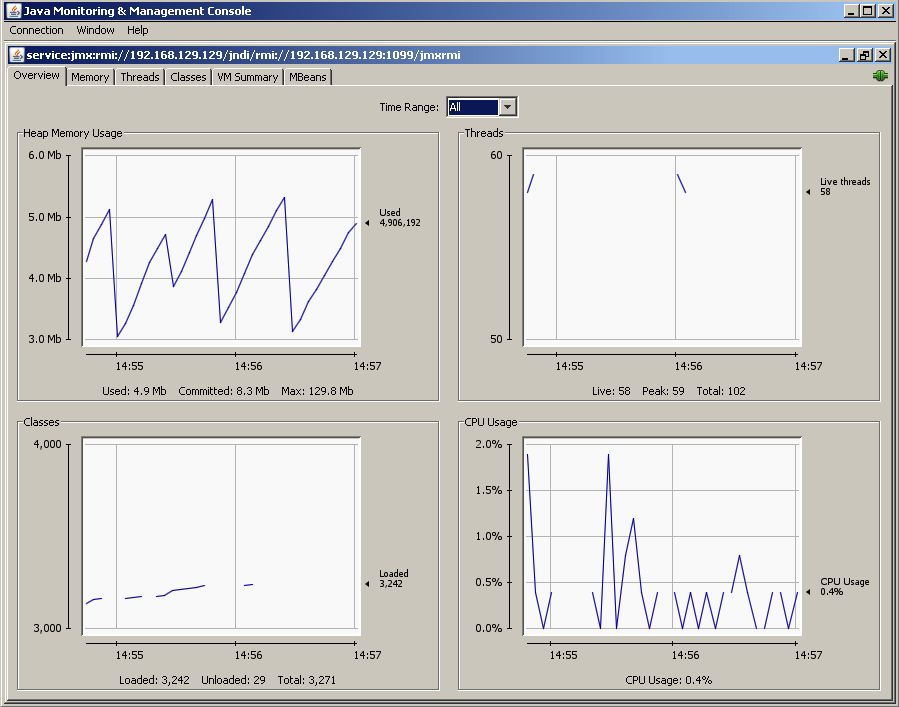
Start the JDK JConsole monitoring application in a separate process.
JConsole automatically connects to a running JMX Manager node if one is available.
Note that you must have a JDK installed (not just a JRE) and the correct PATH and JAVA_HOME environment variables set.
See Browsing Geode MBeans through JConsole for an example of using JConsole with the Geode management and monitoring system.
Availability: Online or offline.
Syntax:
start jconsole [--interval=<seconds>] [--notile] [--version]
[--J<jconsole JVM options>]
Parameters, start jconsole
| Name | Description | Default Value |
|---|---|---|
| ‑‑interval | Set the update interval to n seconds (default is 4 seconds). (Equivalent to JConsole's -interval=n) | 4 |
| ‑‑notile | Whether to initially tile windows for two or more connections. This parameter is passed as -notile to JConsole. | false |
| ‑‑pluginpath | Directories or JAR files which are searched for JConsole plugins. The path should contain a provider-configuration file named:META-INF/services/com.sun.tools.jconsole.JConsolePlugin containing one line for each plugin specifying the fully qualified class name of the class implementing the com.sun.tools.jconsole.JConsolePlugin class. | |
| ‑‑version | Display the JConsole version information. This parameter is passed as -version to JConsole. | false |
| ‑‑J | Arguments passed to the JVM on which JConsole runs |
Example Commands:
gfsh>start jconsole --interval=8 --notile;
Running JDK JConsole

gfsh>start jconsole --version;
JConsole version "1.8.0_31-b01-1"
Java(TM) SE Runtime Environment (build 1.8.0_31-b01-1-11)
Java HotSpot(TM) 64-Bit Server VM (build 20.6-b01-11, mixed mode)
Sample Output:
gfsh>start jconsole
Running JDK JConsole
The JConsole application appears and auto-connects to a JMX Manager node if one is available:
Error Messages:
An error occurred while launching JConsole = %1$s

Connecting by the Geode member's name or ID is not currently supported.
Please specify the member as '<hostname|IP>[PORT].

An IO error occurred while launching JConsole.
Please ensure that JAVA_HOME is set to the JDK installation
or the JDK bin directory is in the system PATH.

JConsole could not be found.\nPlease ensure that JAVA_HOME is set to the
JDK installation or the JDK bin directory is in the system PATH.
start jvisualvm
Start the JDK's Java VisualVM monitoring application in a separate process.
Availability: Online or offline.
Syntax:
start jvisualvm [--J=value(,value)*]
Parameters, start jvisualvm
| Name | Description |
|---|---|
| ‑‑J | VM-option passed to the spawned CacheServer VM. For example: --J=-Dfoo.bar=true for setting foo.bar to 'true'. |
Example Commands:
start jvisualvm
Sample Output: 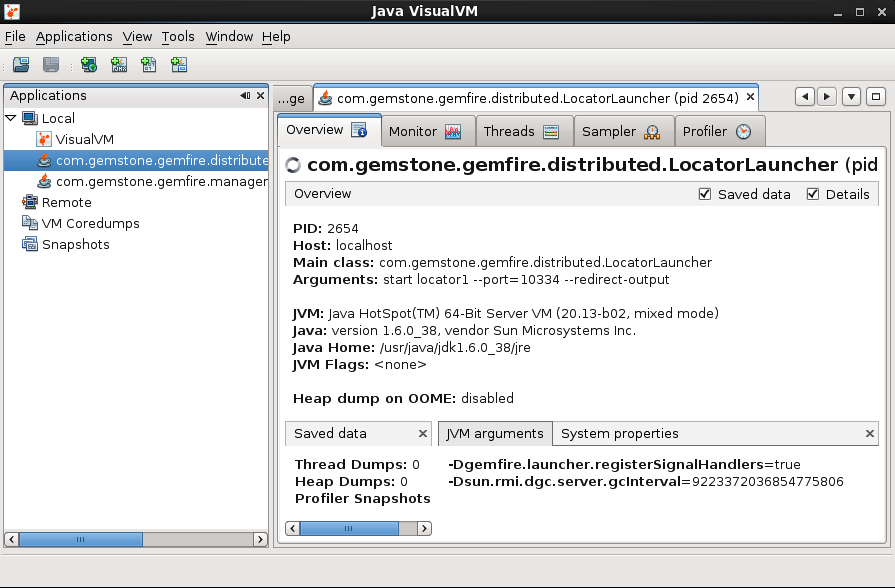
start locator
Start a locator.
The command creates a subdirectory and log file named after the locator. If the locator detects that no other JMX Manager exists, then the locator will automatically start an embedded JMX Manager and connect the current gfsh session to the JMX Manager.
Note: You must have JAVA_HOME set before starting gfsh to use this command.
In addition, if gfsh is not already connected to a JMX Manager, the gfsh console will automatically connect to the new embedded JMX Manager started by the new locator.
Note: When both --max-heap and --initial-heap are specified during locator startup, additional GC parameters are specified internally by Geode's Resource Manager. If you do not want the additional default GC properties set by the Resource Manager, then use the-Xms and -Xmx JVM options. See Controlling Heap Use with the Resource Manager for more information.
Note: The additional GC parameters introduced by the --max-heap option are not compatible with the usage of G1 garbage collector.
Availability: Online or offline.
Syntax:
start locator --name=value [--bind-address=value] [--force(=value)]
 [--groups=value(,value)*] [--hostname-for-clients=value] [--classpath=value]
 [--locators=value] [--log-level=value] [--mcast-address=value] [--mcast-port=value] [--port=value] [--dir=value]
 [--properties-file=value] [--security-properties-file=value] [--initial-heap=value] [--max-heap=value]
 [--connect(=value)] [--enable-cluster-configuration(=value)] [--load-cluster-configuration-from-dir(=value)]
 [--cluster-config-dir=value] [--redirect-output(=value)]
 [--http-service-port=value] [--http-service-bind-address=value]
 [--J=value(,value)*]
Parameters, start locator
| Name | Description | Default Value |
|---|---|---|
| ‑‑name | Name to be used for this Geode locator service. If not specified, gfsh generates a random name. | |
| ‑‑bind-address | IP address on which the locator will be bound. | bind to all addresses |
| ‑‑force | Whether to allow the PID file from a previous locator run to be overwritten. | false |
| ‑‑groups | Group(s) the locator will be a part of. | |
| ‑‑hostname-for-clients | Host name or IP address that will be sent to clients so they can connect to this locator. | uses bind-address |
| ‑‑classpath | Application classes to be added to the locator's CLASSPATH after the core jar file. See Setting Up the CLASSPATH for details. | |
| ‑‑locators | List of locators used by this locator to join the appropriate Geode cluster. | |
| ‑‑log-level | Level of output logged to the locator log file. Possible values for log-level include: ALL, TRACE, DEBUG, INFO, WARN, ERROR, FATAL, OFF. | |
| ‑‑mcast-address | IP address or hostname used to bind the UPD socket for multi-cast networking so the locator can locate other members in the Geode cluster. If mcast-port is zero, then mcast-address is ignored. | |
| ‑‑mcast-port | Port used for multi-cast networking so the locator can locate other members of the Geode cluster. A zero value disables mcast. | |
| ‑‑port | Port the locator will listen on. | 10334 |
| ‑‑dir | Directory in which the Locator will be started and run. | ./<locator-member-name> |
| ‑‑properties-file | Specify the gemfire.properties file for configuring the locator's cluster. The file's path should be absolute or relative to gfsh's working directory. | |
| ‑‑security-properties-file | The gfsecurity.properties file for configuring the Locator's security configuration in the cluster. The file's path can be absolute or relative to gfsh's working directory. | |
| ‑‑initial-heap | Size has the same format as the -Xmx/-Xms JVM options. Note: If you use the | |
| ‑‑max-heap | Size has the same format as the -Xmx/-Xms JVM options. Note: If you use the Note: The additional GC parameters introduced by the | |
| ‑‑connect | When connect is set to false, gfsh does not automatically connect to the locator which is started using this command. | true |
| ‑‑enable-cluster-configuration | Enables cluster configuration behavior where locators maintain configurations for all members of the cluster. See Overview of the Cluster Configuration Service. | true |
| ‑‑load-cluster-configuration-from-dir | Deprecated. Use gfsh import cluster-configuration for this functionality.Loads the cluster configuration from the shared-config directory. (When set to false, the configuration is loaded from the disk store of the internal, persistent region used by the locator to persist the configuration.) | false |
| ‑‑cluster-config-dir | Directory used by the cluster configuration service to store the cluster configuration on the filesystem | cluster-config |
| ‑‑redirect-output | When true, redirect standard output and standard error to the locator log file. If specified without a value, the value is set to true. | false |
| ‑‑http-service-port | Specifies the HTTP service port. | 7070 |
| ‑‑http-service-bind-address | Specifies the IP address to which the HTTP service will be bound. | the local host machine's address |
| ‑‑J | Argument passed to the JVM on which the Locator will run. For example, specifying --J=-Dfoo.bar=true sets property "foo.bar" to "true".Note: If the argument you are passing contains spaces or commas, enclose the option in single quotes. For example: | none |
Example Commands:
start locator --name=locator1
start pulse
Launch the Geode Pulse monitoring dashboard tool in the user's default system browser and navigates the user to the landing page (login page).
For more information on Geode Pulse, see Geode Pulse.
Availability: Online or offline.
Syntax:
start pulse [--url=value]
Parameters, start pulse
| Name | Description | Default Value |
|---|---|---|
| ‑‑url | URL of the Pulse Web application | http://localhost:7070/pulse |
Example Commands:
start pulse
start pulse --url=http://gemfire.example.com:7070/pulse
Sample Output:
Launched Geode Pulse
start server
Start a Geode cache server process.
Note: When both --max-heap and --initial-heap are specified during server startup, additional GC parameters are specified on your behalf. If you do not want the additional default GC properties set, then use the -Xms and -Xmx JVM options to set just these parameters. See Controlling Heap Use with the Resource Manager for more information.
Note: The additional GC parameters introduced by the --max-heap option are not compatible with the usage of G1 garbage collector.
Availability: Online or offline.
Syntax:
start server --name=value [--assign-buckets(=value)] [--bind-address=value]
    [--cache-xml-file=value] [--classpath=value] [--disable-default-server(=value)]
    [--disable-exit-when-out-of-memory(=value)] [--enable-time-statistics(=value)]
    [--force(=value)] [--include-system-classpath(=value)] [--properties-file=value]
    [--security-properties-file=value] [--groups=value(,value)*]
    [--locators=value] [--locator-wait-time=value] [--log-level=value]
    [--mcast-address=value] [--mcast-port=value] [--memcached-port=value]
    [--memcached-protocol=value] [--rebalance(=value)] [--server-bind-address=value]
    [--server-port=value] [--spring-xml-location=value]
    [--statistic-archive-file=value] [--dir=value] [--initial-heap=value]
    [--max-heap=value] [--use-cluster-configuration(=value)] [--J=value(,value)*]
    [--critical-heap-percentage=value] [--critical-off-heap-percentage=value]
    [--eviction-heap-percentage=value] [--eviction-off-heap-percentage=value]
    [--hostname-for-clients=value] [--max-connections=value]
    [--message-time-to-live=value] [--max-message-count=value] [--max-threads=value]
    [--socket-buffer-size=value] [--lock-memory=value] [--off-heap-memory-size=value]
    [--start-rest-api=value] [--redirect-output(=value)]
    [--http-service-port=value] [--http-service-bind-address=value]
    [--username=value] [--password=value]
Parameters, start server
| Name | Description | Default Value |
|---|---|---|
| ‑‑name | Member name for this server. If not specified, gfsh generates a random name. | |
| ‑‑assign-buckets | Whether to assign buckets to the partitioned regions of the cache on server start. | false |
| ‑‑bind-address | The IP address on which the server will be bound. | binds to all local addresses |
| ‑‑cache-xml-file | Specifies the name of the XML file or resource to initialize the cache with when it is created. | |
| ‑‑classpath | Application classes to be added to the server's CLASSPATH after the core jar file. See Setting Up the CLASSPATH for details. | |
| ‑‑include-system-classpath | When true, include the System CLASSPATH on the Server's CLASSPATH, as the System CLASSPATH is not included by default. If specified without a value, the value is set to true. | false |
| ‑‑disable-default-server | Whether the cache server will be started by default. If the parameter is specified without a value, the value is set to true. If set to true, the cache server acts as a peer. | false |
| ‑‑disable-exit-when-out-of-memory | Prevents the JVM from exiting when an OutOfMemoryError occurs. | false |
| ‑‑enable-time-statistics | Causes additional time-based statistics to be gathered for Geode operations. | true |
| ‑‑properties-file | The gemfire.properties file for configuring the server's cluster. The file's path can be absolute or relative to the gfsh working directory. | |
| ‑‑security-properties-file | The gfsecurity.properties file for configuring the server's security configuration in the cluster. The file's path can be absolute or relative to gfsh directory. | |
| ‑‑groups | Group(s) the Cache Server will be a part of. | |
| ‑‑force | Whether to allow the PID file from a previous Cache Server run to be overwritten. | false |
| ‑‑locators | Sets the list of locators used by the Cache Server to join the appropriate cluster. | |
| ‑‑locator-wait-time | Sets the number of seconds the server will wait for a locator to become available during startup before giving up. | 0 |
| ‑‑log-level | Sets the level of output logged to the Cache Server log file. Possible values for log-level include: ALL, TRACE, DEBUG, INFO, WARN, ERROR, FATAL, OFF. | |
| ‑‑mcast-address | The IP address or hostname used to bind the UDP socket for multi-cast networking so the Cache Server can locate other members in the cluster. If mcast-port is zero, then mcast-address is ignored. | |
| ‑‑mcast-port | Sets the port used for multi-cast networking so the Cache Server can locate other members of the cluster. A zero value disables mcast. | |
| ‑‑memcached-port | If specified and is non-zero, sets the port number for an embedded Gemcached server and starts the Gemcached server. | |
| ‑‑memcached-protocol | Sets the protocol used by an embedded Gemcached server. Valid values are BINARY and ASCII. If you omit this property, the ASCII protocol is used. | |
| ‑‑server-bind-address | Overrides the bind-address on which this server will listen for client connections. Set this option in a multi-homed server environment to distinguish communications from clients. Setting a value of the empty string ("") uses the value of bind-address. | value of bind-address |
| ‑‑server-port | Port the Server will listen on for client connections. | 40404 |
| ‑‑spring-xml-location | Specifies the location of a Spring XML configuration file(s) for bootstrapping and configuring a Geode Server. This configuration file can exist on the CLASSPATH (default) or any location supported by Spring's Resource(Loader) location specifiers (for example, classpath:, file:, etc). ResourceLoader is described in the Spring documentation. | |
| ‑‑rebalance | Whether to initiate rebalancing across the Geode cluster. | false |
| ‑‑dir | Specify the directory in which the server will run in. This directory is written to the location where you started gfsh. | If not specified, the directory is named after the server. |
| ‑‑statistic-archive-file | The file that statistic samples are written to. For example: "StatisticsArchiveFile.gfs". Must be defined to store the archiving to a file. An empty string (default) disables statistic archival. | not set |
| ‑‑initial-heap | Initial size of the heap in the same format as the JVM -Xms parameter. Note: If you use the | |
| ‑‑max-heap | Maximum size of the heap in the same format as the JVM -Xmx parameter. Note: If you use the Note: The additional GC parameters introduced by the | |
| ‑‑J | Argument passed to the JVM on which the Cache Server will run. For example, --J=-Dfoo.bar=true will set the property "foo.bar" to "true".If the argument you are passing contains spaces or commas, enclose the option in single quotes. | |
| ‑‑use-cluster-configuration | Specifies whether the server requests a cluster configuration from the locator. | true |
| ‑‑critical-heap-percentage | Set the percentage of heap at or above which the cache is considered in danger of becoming inoperable due to garbage collection pauses or out of memory exceptions. Past the threshold, operations that require heap space will throw a LowMemoryException. This feature requires additional VM flags to perform properly; you must set --initial-heap and --max-heap or the corresponding JVM properties to use this threshold. You must also set --max-heap and --initial-heap to the same value. | 0 (no critical heap threshold enforced) |
| ‑‑critical-off-heap-percentage | The percentage of off-heap memory used at or above which the cache is considered in danger of becoming inoperable due to out of memory exceptions. Past the threshold, operations that require heap space will throw a LowMemoryException. | 0 (no critical off-heap threshold enforced) |
| ‑‑eviction-heap-percentage | Set the percentage of heap at or above which the eviction should begin on Regions configured for HeapLRU eviction. Changing this value may cause eviction to begin immediately. Only one change to this attribute or critical heap percentage will be allowed at any given time and its effect will be fully realized before the next change is allowed. This feature requires additional VM flags to perform properly; you must set --initial-heap and --max-heap or the corresponding JVM properties to use this threshold. You must also set --max-heap and --initial-heap to the same value. |
|
| ‑‑eviction-off-heap-percentage | The percentage of off-heap memory used at or above which the eviction should begin on regions configured for off-heap and HeapLRU eviction. Changing this value may cause eviction to begin immediately. Only one change to this attribute or critical off-heap percentage will be allowed at any given time, and its effect will be fully realized before the next change is allowed. |
|
| ‑‑hostname-for-clients | Sets the IP address or host name that a locator will provide to clients. Clients use the address to connect to a server. Set this value when clients use a different address to connect with the server than the bind-address, as those clients might with servers in a private cloud or multi-homed environment. Not specifying this option or setting this option to the empty string ("") causes the bind-address to be given to clients. | |
| ‑‑max-connections | Sets the maximum number of client connections allowed. When the maximum is reached the cache server will stop accepting connections. | |
| ‑‑message-time-to-live | Sets the time (in seconds ) after which a message in the client queue will expire. | |
| ‑‑max-message-count | Sets maximum number of messages that can be enqueued in a client-queue. | |
| ‑‑max-threads | Sets the maximum number of threads allowed in this cache server to service client requests. The default of 0 causes the cache server to dedicate a thread for every client connection. When client-server TLS/SSL is configured, values other than the default are not supported. | |
| ‑‑socket-buffer-size | Sets the buffer size in bytes of the socket connection for this CacheServer. The default is 32768 bytes. | |
| ‑‑lock-memory | (Linux only) When true, the member's heap and off-heap memory are locked in RAM, preventing them from being paged to disk. You must increase the related ulimit operating system resource to allow the OS to lock memory chunks of sufficient size. | false |
| ‑‑off-heap-memory-size | The integer quantity of off-heap memory to be used for storing region values. Specified in Gigabytes with a "g" suffix, or Megabytes with an "m" suffix. For example, allocate a 2 Gigabyte off-heap space with --off-heap-memory-size=2g. The default value of 0 does not use any off-heap memory. | 0 |
| ‑‑start-rest-api | When true, starts the REST API service. | false |
| ‑‑redirect-output | When true, redirect standard output and standard error to the server log file. If specified without a value, the value is set to true. | false |
| ‑‑http-service-port | Specifies the HTTP service port. | 7070 |
| ‑‑http-service-bind-address | Specifies the IP address to which the HTTP service will be bound. | the local host machine's address |
| ‑‑username ‑‑user | The user name of the credential to use in authenticating to the cluster. When specified, if the --password option is not also specified, then gfsh will prompt for the password. | |
| ‑‑password | The password portion of the credential to use in authenticating to the cluster. |
Examples
gfsh>start server --name=server1
gfsh>start server --name=server2 --server-port=40405